

Hours of content streamed
100
M+
Hours of content streamed annually
Broadcasters trust Evrideo
60
+
Broadcasters trust Evrideo
Countries with active channels
20
+
Countries with active channels
Platform availability
99.99
%
Availability

See It In Action

Stop Chasing Change.
Start Leading It.

See how Evrideo unifies contribution, master control, playout, distribution, clipping and ad insertion into one seamless cloud-native platform — so you can modernise at your own pace and reach audiences everywhere.
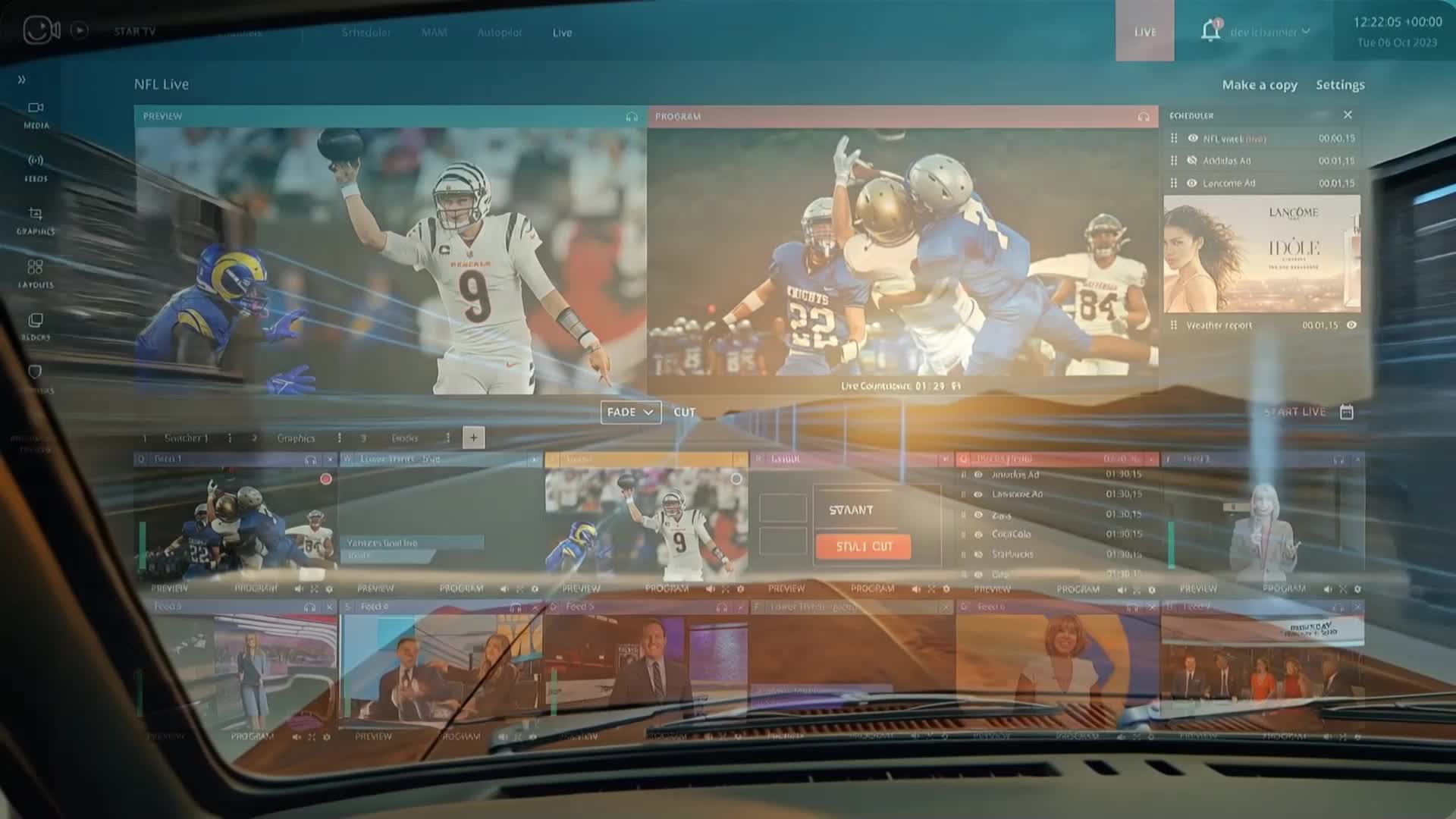
Evrideo Platform Overview — Click to play

Your Audience Migrated.
Your Budget Didn't.
Neither did your Infrastructure.

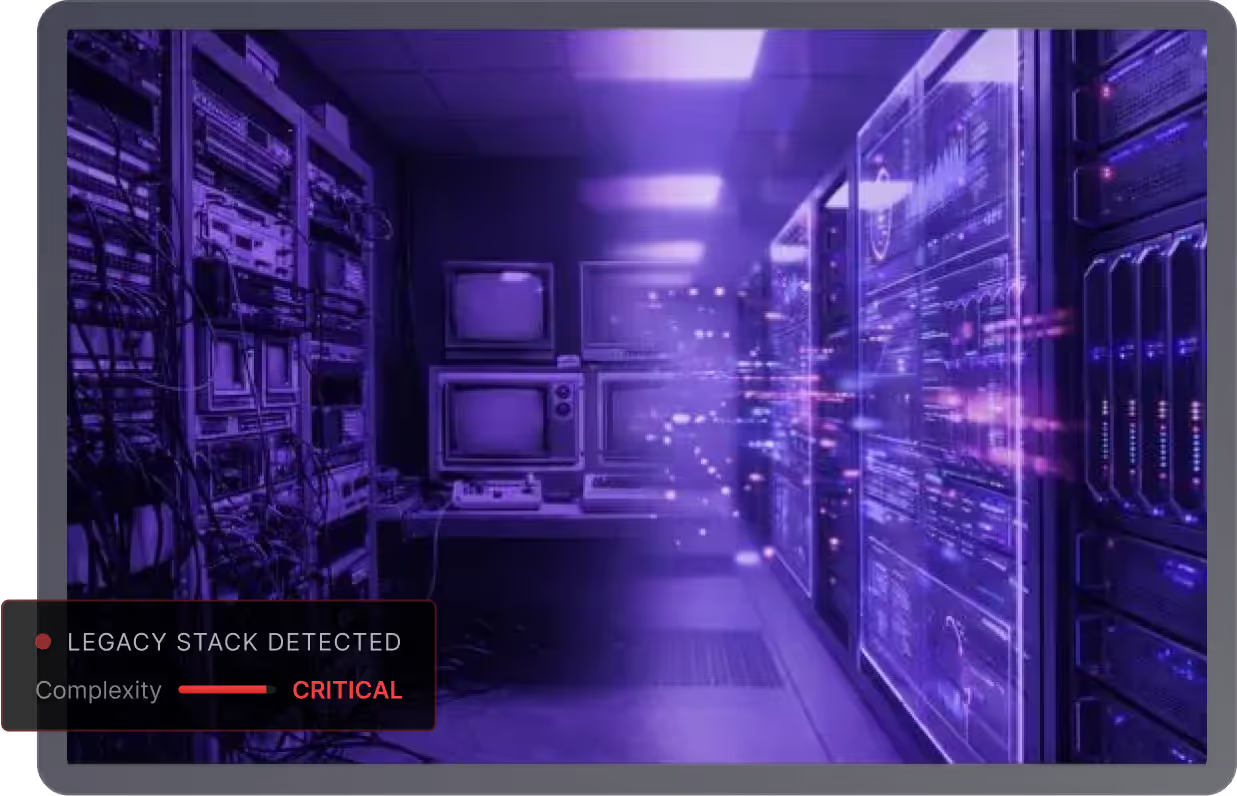
To survive, you must follow your audience everywhere, FAST, VOD, Social, OTT and Linear. But traditional workflows force you to stitch together a "Frankenstein Stack" of 15+ vendors.

The result? Operational chaos, skyrocketing costs, and zero agility. You're spending 80% of your budget just keeping the lights on.

That's why you need Evrideo. We give you your agility back and cut your costs at the same time.
42%
Average TCO Reduction
18mo
ROI Breakeven Time
100%
Improved Agility
Server room with legacy monitors and servers, highlighting detected legacy stack with critical complexity warning.

The Broadcast Operations Platform

Intelligently routing content from any source to any destination.
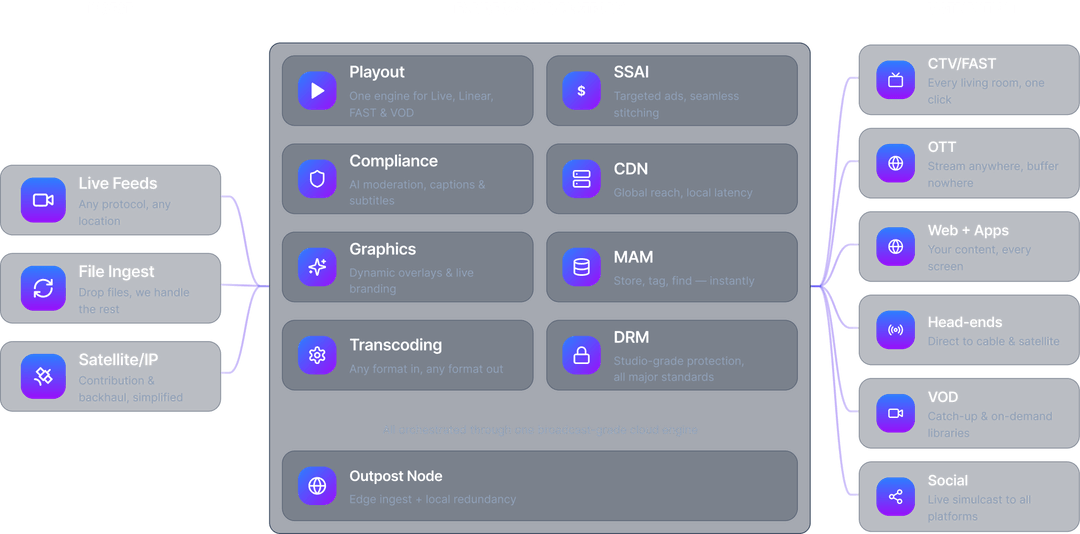
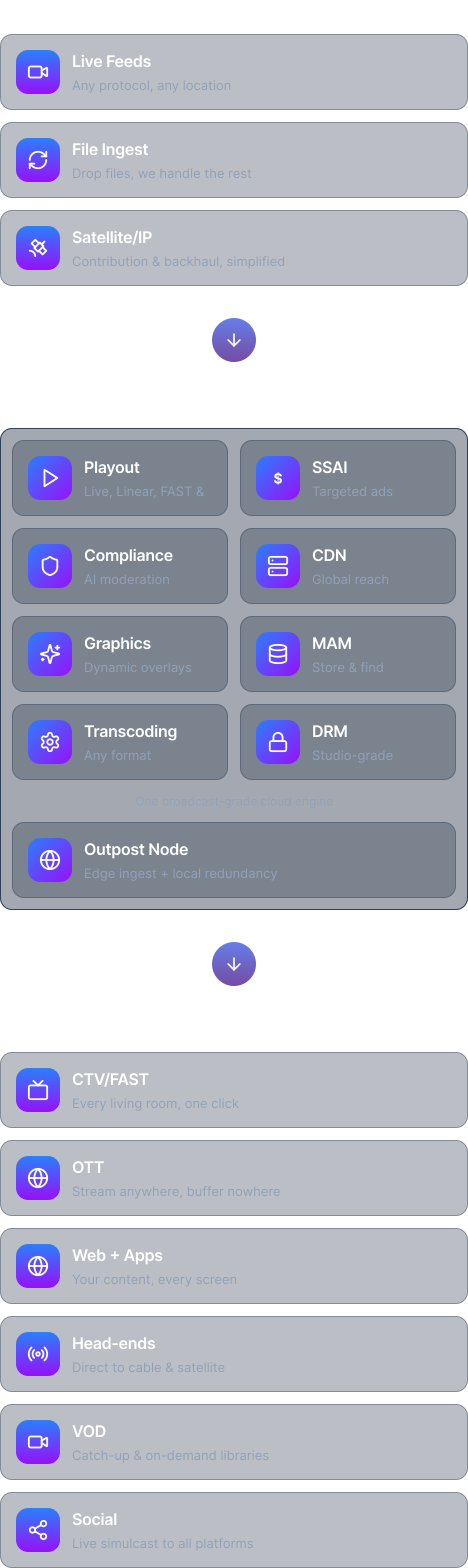
Diagram showing Evrideo Cloud Platform workflow: from Ingest (Live Feeds, File Ingest, Satellite/IP) to cloud services (Playout, Compliance, Graphics, Transcoding, SSAI, CDN, MAM, DRM, Outpost Node), then distribution channels (CTV/FAST, OTT, Web + Apps, Head-ends, VOD, Social).
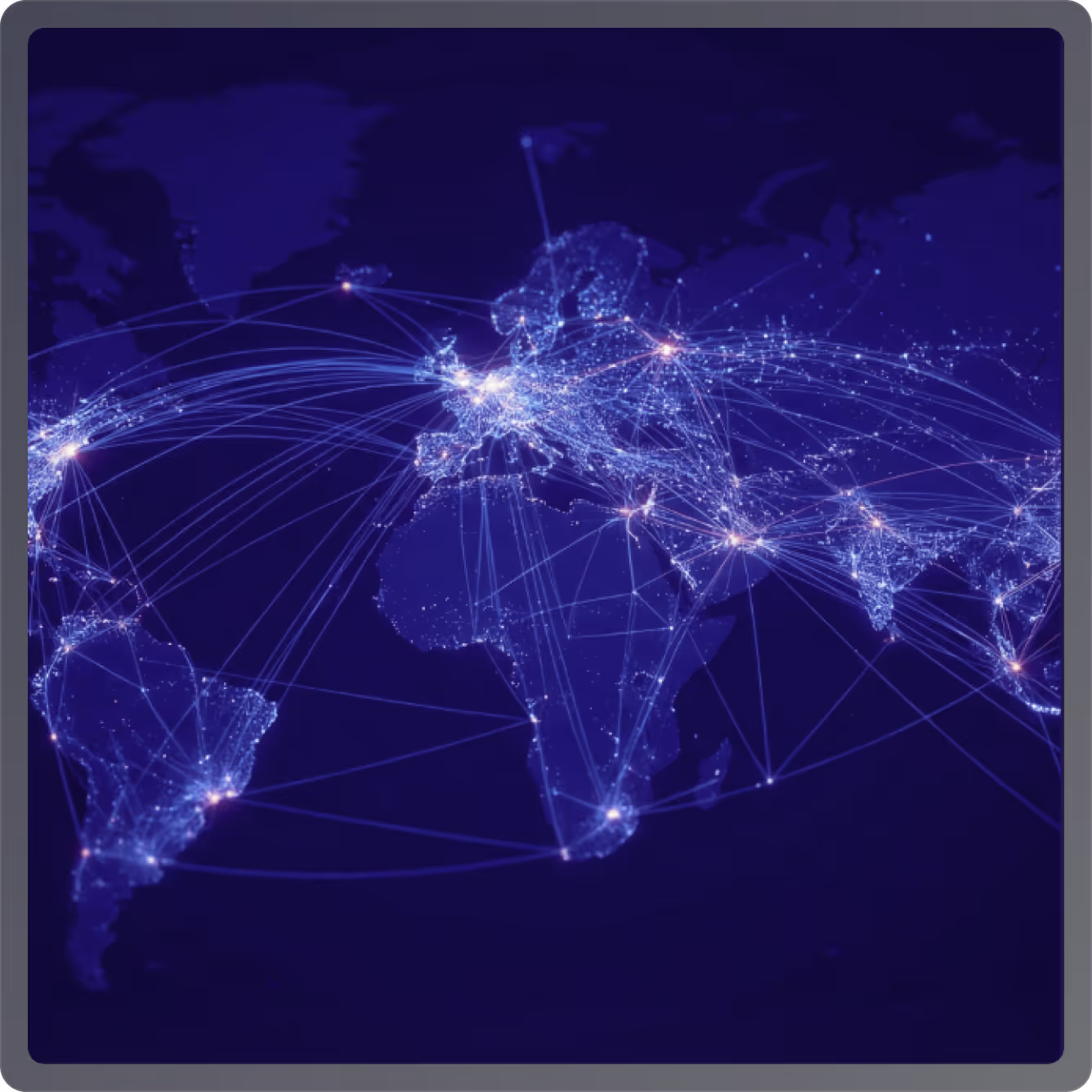
Digital map of the world at night showing illuminated city nodes connected by glowing network lines representing global communication or data flow.
Cloud-native infrastructure
CLOUD-NATIVE INFRASTRUCTURE

Built for the Speed of Digital.

Surgical or Full Stack deployment icon

Surgical or Full Stack

Deploy a single FAST channel in minutes, or migrate your entire broadcast facility. Our platform adapts to your pace.

Global Distribution icon

Global Distribution

Deliver pristine video to any endpoint—satellite, cable, OTT, or FAST platforms—with a single click.

AI-Powered Autonomization icon

AI-Powered Autonomization

Automate scheduling, compliance, and graphics with our integrated AI engine, reducing manual workload by 60%.

A Platform AND A Partner

We are a Customer Led company.   We turn your problems into our roadmap.  We don't just sell you software and wish you luck. Our SaaS platform delivers the unified technology stack—fully managed, continuously updated, and backed by operational expertise.

Unify Operations icon

Unify Operations

Replace your "Frankenstein Stack" with a single, cloud-native platform that handles Ingest, MAM, Playout, Graphics, and Distribution.

Single pane of glass

Cloud-native architecture

Extend Teams icon

Extend Teams

We are service-obsessed. Our Master Control operators and broadcast engineers act as an extension of your team, 24/7/365.

Managed Operations

Expert Co-Pilots

De-Risk the Future icon

De-Risk the Future

True SaaS pricing: turn unpredictable CapEx into predictable OpEx. Scale channels up and down instantly without buying hardware.

Zero CapEx

Transparent Pricing

The Operating System for
Modern Broadcasters.

Launch channels faster, distribute smarter, and operate more efficiently with a Platform designed for the streaming era.

Built for Broadcast.
Designed for Agility.

Four mission-critical modules. One seamless interface. An architecture built to evolve as fast as the market.

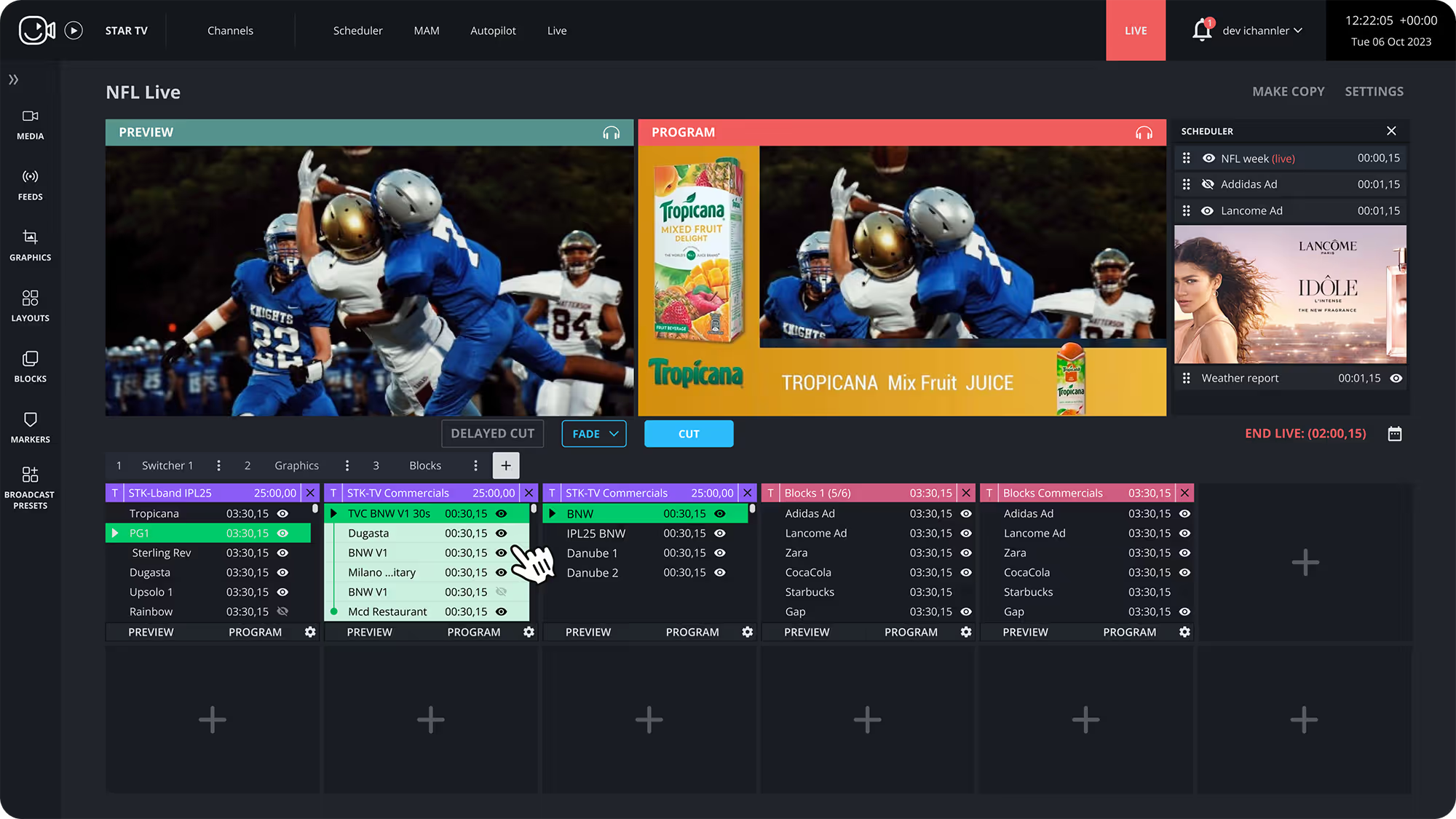
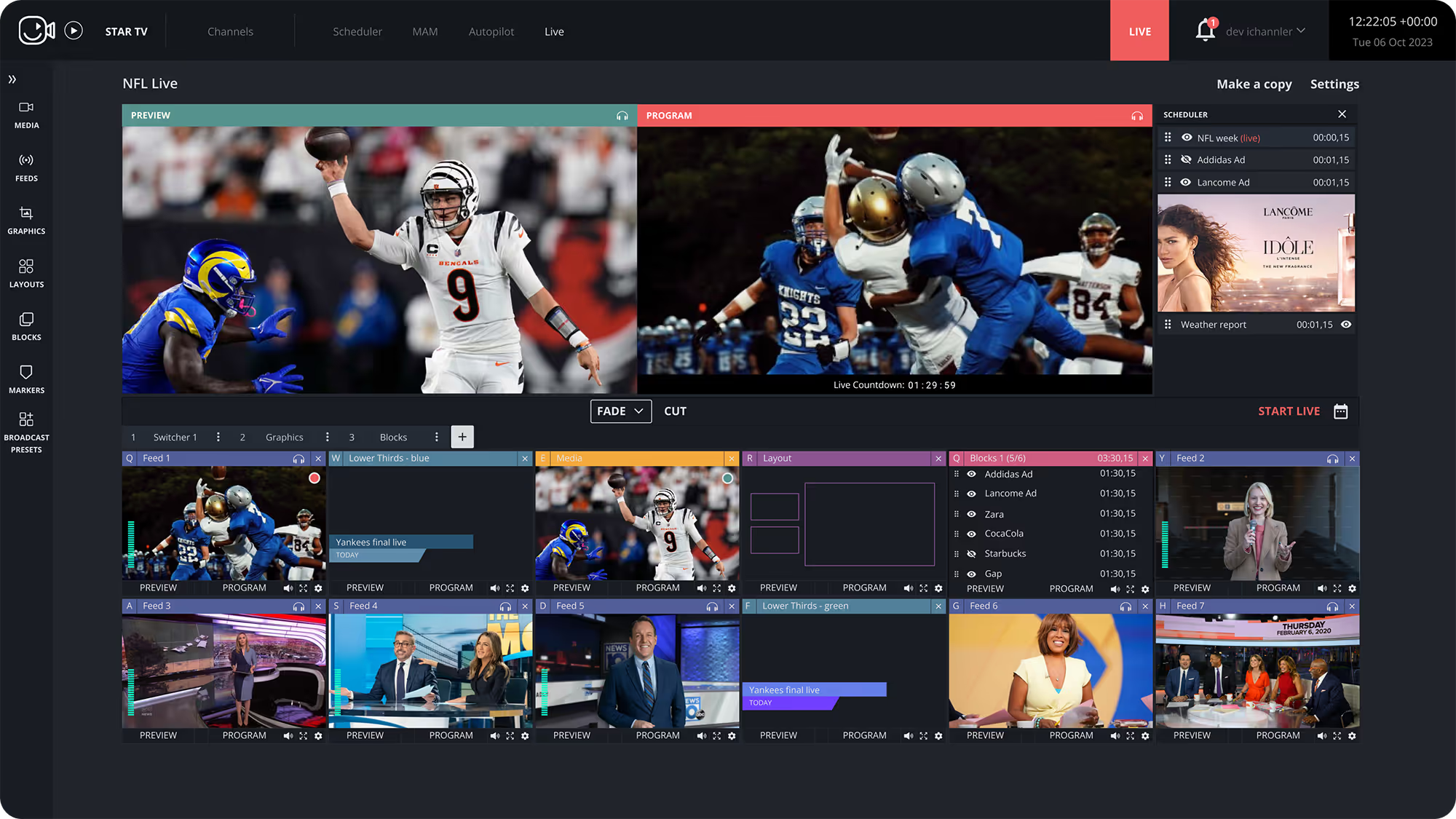
Broadcast control interface showing NFL live preview with football players, Tropicana mix fruit juice ad in program window, and a scheduler with ads and weather report.
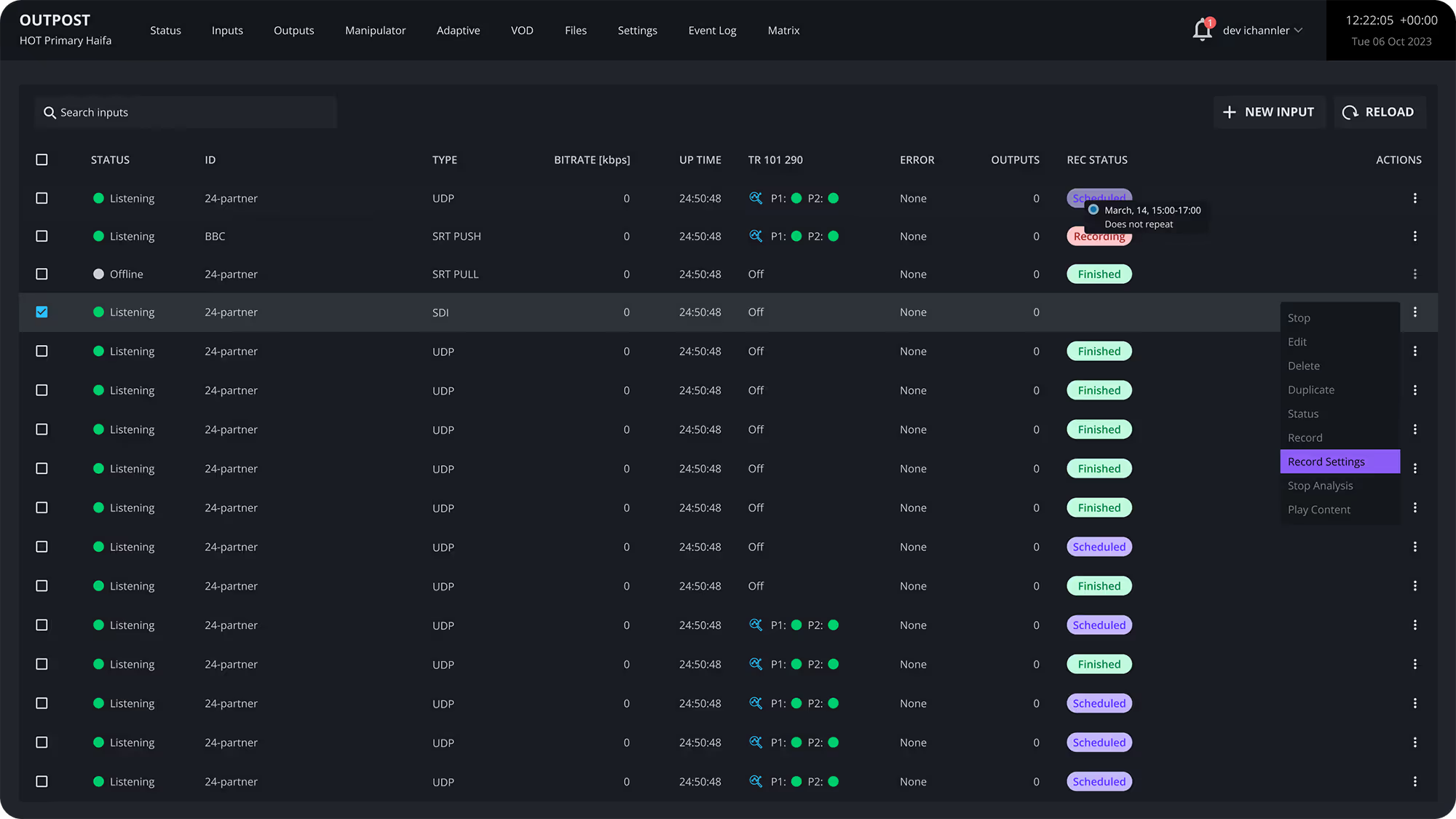
Outpost interface displaying a list of input streams with status, ID, type, bitrate, uptime, error, outputs, recording status, and action options.
AdBoost - Broadcast control interface showing multiple live video feeds, including NFL football action, a news studio, and various commercial ads.
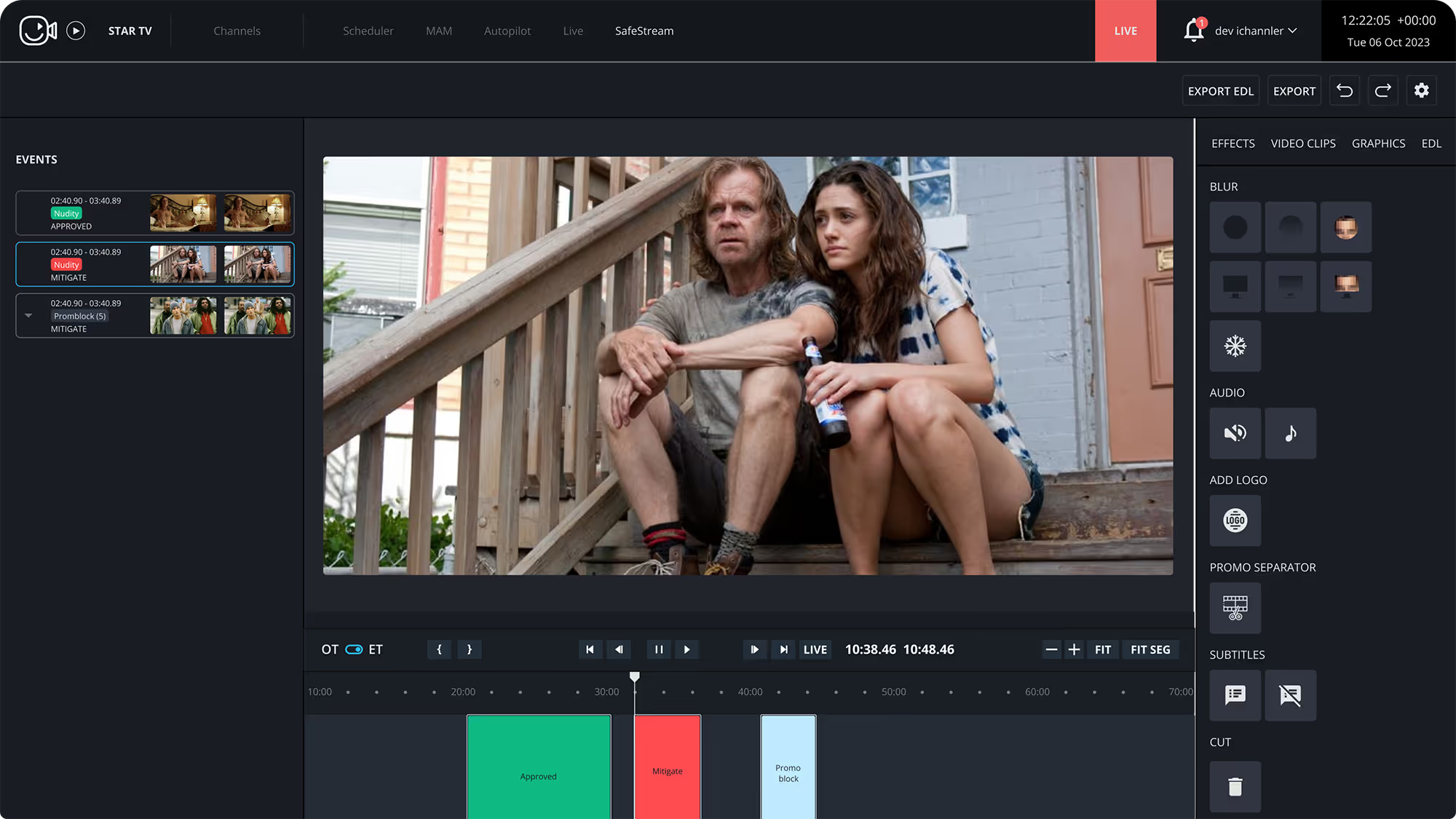
Video editing interface showing a scene with a man and woman sitting closely on wooden steps, with event timeline and editing tools visible.
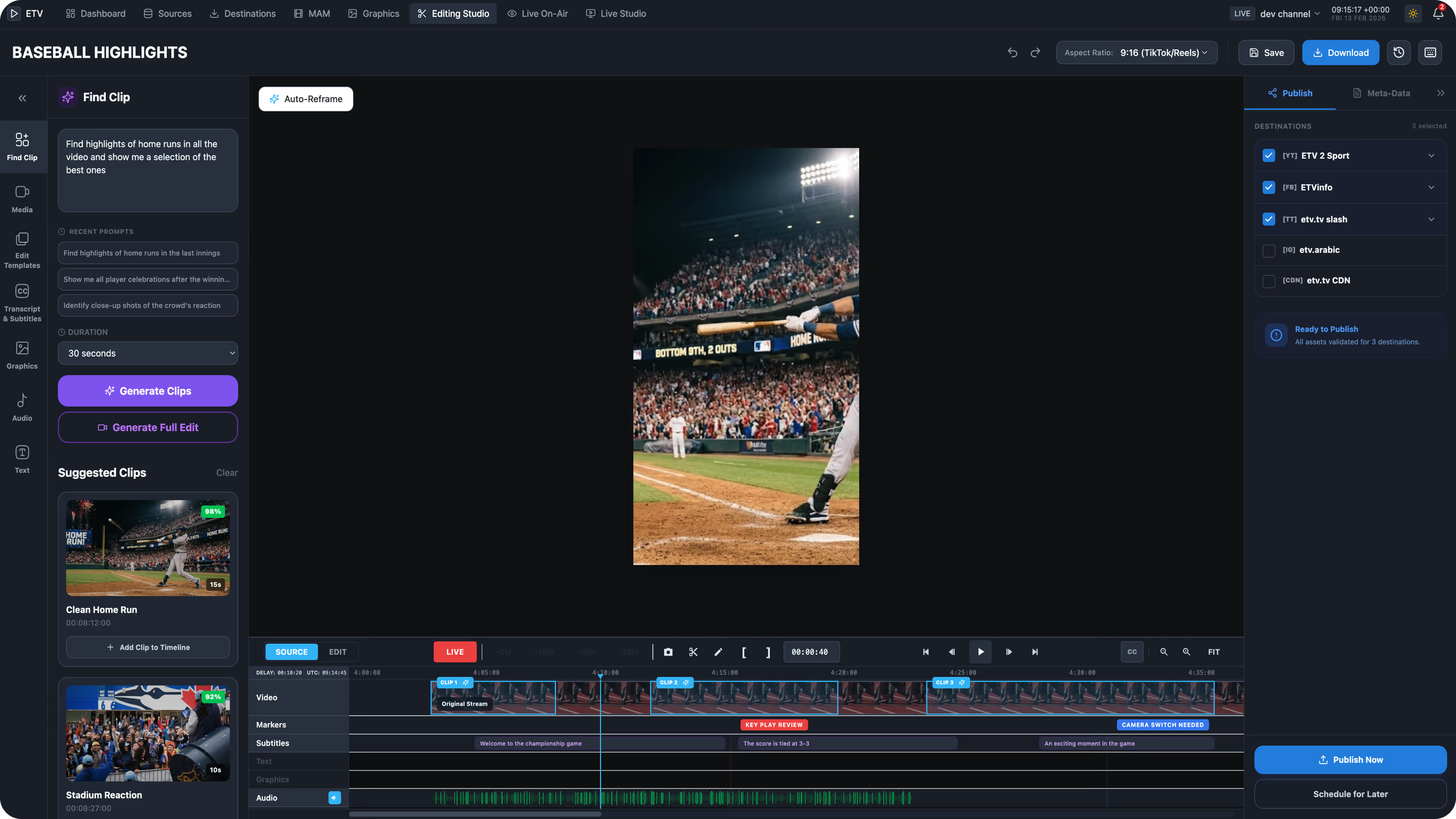
RapidClip product screenshot

Evrideo | Cloud Master Control, Playout, Distribution & Monetization

"We went from explaining why we couldn't keep up—to presenting a roadmap that puts us two years ahead. Evrideo gave us operational capacity to execute our vision."

Ready to Own Your
Digital Future?

Stop navigating the transition alone. Deploy the operating system used by 60+ global broadcasters.

Operational Intelligence

Common questions from engineering and operations teams.

  • Cloud-native SaaS eliminates the hardware refresh cycles, reduces CapEx to zero, and gives you instant scalability. You can spin up new channels, add distribution endpoints, and expand geographically without procuring physical infrastructure—while benefiting from continuous platform updates and AI-driven automation.

  • With Evrideo, you can launch a new channel in hours, not months. Our cloud-native infrastructure and pre-integrated distribution connectors mean you can go from content to live broadcast without lengthy hardware procurement or complex integrations.

  • Evrideo supports multi-region deployments and can be operated in cloud environments and hybrid models. We work with all major cloud providers and can integrate with your existing on-premise infrastructure where needed.

  • No. Evrideo is designed to deploy in parallel with your current infrastructure—no rip-and-replace required. You can migrate workloads gradually, starting with specific channels or workflows, while maintaining your existing operations.

  • Every client gets a dedicated Customer Success Manager, proactive 24/7 monitoring, and human-led support. We don't just sell software—we partner with you operationally to ensure your channels run flawlessly.

  • Evrideo offers flexible pricing based on your specific needs and scale. Whether you're launching your first FAST channel or migrating a full broadcast facility, we'll build a commercial model that fits your business.

  • You do. All content, analytics, and operational data remain your property. Evrideo provides the platform and infrastructure; you retain full ownership and control of your assets.

  • Absolutely. Evrideo supports 24/7 live channel management with broadcast-grade reliability, automated failover, and real-time monitoring. We handle live sports, news, entertainment, and everything in between.

  • We support all common broadcast/streaming outputs and formats used for playout and distribution (e.g., HLS, DASH, RTMP, SRT, SDI, ASI, SMPTE 2110) as well as all common ingest protocols and file formats.

  • An automated task is executed by a system once a human (or trigger) initiates it, following predefined rules. An autonomized workflow uses AI to make decisions, adapt to changing conditions, and act without human initiation—reducing manual intervention across your entire broadcast operation.


Latest from the Blog

Insights, guides, and perspectives from the team building the future of cloud-native broadcast infrastructure.

✂️ AI-Assisted Clipping Solution

RapidClip
Find Faster.
Finish Better.
Publish Everywhere.

From long-form video to platform-ready clips in one intelligent workflow. Turn live events, archives, and long-form content into branded, subtitled, metadata-rich clips — without leaving the workspace.

AI Clip Discovery
Auto-Subtitling
9:16 Auto-Reframe
Multi-Destination Publish
See the Workflow
Source → Publish Workflow
1
Source Review
Long-form video ingested and indexed
2
AI Discovery
Natural language prompt → clip candidates
3
Timeline Refinement
Editor reviews, adjusts, approves
4
Brand & Finish
Subtitles, graphics, watermarks applied
5
Publish
Facebook · YouTube · TikTok · Owned
DISCOVER · PREPARE · DISTRIBUTE
Operational Need

Built for Fast Media Operations

The clipping solution helps broadcasters, publishers, sports teams, and digital editors transform long-form sources into short-form clips quickly, accurately, and consistently. Teams move from source review to publishable output without exporting and rebuilding assets manually.

01
Reduce Tool Switching

Discovery, editing, branding, metadata, scheduling, and publishing live in one connected workspace.

02
Shorten Turnaround Time

Teams can move from source review to publishable output without exporting and rebuilding assets manually.

03
Protect Editorial Quality

AI accelerates selection and preparation while editors retain control over timing, context, and final approval.

Workflow

One Workspace From Source to Publish

Editors can review video, generate clip suggestions, refine the timeline, apply captions and graphics, configure output settings, and select destinations without leaving the interface.

01
Source Review & Discovery

Describe the clip you need in natural language. AI interprets the editorial intent, scans the source, and generates duration-aware clip candidates ready for review.

02
Timeline Refinement

Inspect AI-suggested clips against the original source. Adjust in and out points, subtitles, graphics, audio, and text before approving the clip.

03
Brand & Finish

Apply reusable graphics templates, lower thirds, watermarks, and per-destination output profiles. Every clip leaves the workspace branded and platform-ready.

04
Metadata & Output

Review titles, descriptions, tags, and rights context. Configure watermarking, logos, formatting, and per-destination delivery rules in one panel.

05
Publish or Schedule

Send clips immediately for fast-turnaround coverage, or schedule them for coordinated campaign and event publishing across Facebook, YouTube, TikTok, and more.

AI Production Layer

AI Automates Core Production Tasks

AI reduces repetitive preparation work, helping editors move from source footage to publishable versions faster while keeping final approval in human hands.

Auto-Transcription

Spoken audio is converted into searchable and editable text, making long-form content easier to navigate and repurpose across formats.

Auto-Subtitling

Captions are generated automatically to support accessibility, silent mobile viewing, and social-first consumption — no manual effort required.

Auto-Metadata Creation

Titles, descriptions, tags, and publishing context are produced automatically to reduce manual distribution effort across every destination.

Auto-Reframing

Horizontal 16:9 video is adapted into vertical 9:16 versions for mobile-first platforms, Shorts, Reels, and TikTok-style feeds — automatically.

Editorial Governance

Editors Stay in Control

AI accelerates discovery and preparation, but the final clip remains an editorial decision. Teams verify timing, context, captions, graphics, and brand treatment before anything is published.

01
Review the Generated Moment

Editors inspect AI-suggested clips against the original source to confirm relevance, tone, and editorial intent.

02
Refine on the Timeline

In and out points, playback, subtitles, graphics, audio, and text can all be adjusted before the clip is approved.

03
Validate Before Publishing

The final asset is checked for accuracy, compliance, destination fit, and brand consistency before release.

Automation provides speed.
Human review protects quality.

Every clip passes through editorial approval before it reaches an audience. AI handles the repetitive discovery and preparation work — editors make the final call on timing, context, captions, graphics, and brand treatment.

AI Speed · Editorial Approval · Professional Output
Brand Control

Brand Every Clip Consistently

The workspace gives teams the finishing controls needed to make every clip recognisable, accessible, and ready for each destination. Templates and output profiles turn individual edits into a repeatable brand system.

Subtitles & Text

Auto-subtitles, titles, and editorial callouts help clips remain understandable in sound-off and mobile viewing contexts.

Graphics & Templates

Reusable layouts, lower thirds, and visual treatments keep recurring formats aligned with the organisation's identity.

Audio & Context

Audio adjustments and supporting text help the final clip feel complete, clear, and publication-ready across every platform.

Watermarks & Logos

Embedded logo and per-destination output settings protect brand rules across social, owned, partner, and internal channels.

Distribution Control

Publish Across Destinations

The publishing panel turns the final clip into a controlled distribution package — combining destination selection, metadata review, output rules, and release timing in one operational flow.

Select
Choose Destinations

Facebook, YouTube, TikTok, owned web endpoints, partner locations, or production buckets — all from one panel.

Describe
Review Metadata

Check titles, descriptions, tags, rights context, and destination-specific publishing information before release.

Configure
Apply Output Settings

Control watermarking, embedded logos, formatting, and per-destination delivery rules for consistent brand governance.

Release
Publish or Schedule

Send clips immediately for fast-turnaround coverage or schedule them for coordinated campaign and event publishing.

FacebookYouTubeTikTokOwned WebPartner ChannelsProduction Buckets+ More Platforms
Operational Impact

Why It Matters

Media teams are under pressure to produce more short-form video from the same long-form sources, while still protecting quality, brand rules, and publishing discipline. RapidClip shortens the path from source footage to audience-ready clips.

Faster
Turnaround

Find, prepare, and release timely clips faster during live events, news cycles, campaigns, and archive repurposing.

Less
Manual Friction

AI-assisted transcription, subtitling, metadata, and reframing reduce repetitive preparation work across every clip.

Better
Governance

Editorial review, metadata checks, destination rules, watermarking, and scheduling create a controlled publishing process.

Always
Consistent Output

Templates, captions, graphics, logos, and per-destination settings keep every clip branded and platform-ready.

Market Fit

Ideal Use Cases

Designed for teams that need to extract value from live, long-form, and archived video while keeping pace with social and digital publishing demands.

Newsrooms
Clip Quotes & Breaking Moments

Find statements, interviews, updates, and topic-specific segments, then publish with subtitles and metadata — fast enough for breaking news cycles.

Sports Teams
Turn Events into Highlights

Identify key plays, reactions, interviews, and social-ready moments from long matches or live feeds. Publish branded clips across all platforms within minutes.

Broadcasters
Repurpose Programmes Faster

Transform live shows, cultural events, and archive footage into branded short-form assets. Manage destinations, publishing rules, and metadata from one workspace.

Entertainment
Create Platform-Ready Promos

Package interviews, performances, previews, and behind-the-scenes moments for social and owned channels with consistent brand treatment every time.

Product Options

RapidClip vs RapidClip AI

Both products support the core clipping and publishing workflow. The distinction is AI: RapidClip AI includes the full AI capability set, while RapidClip provides a professional clipping and publishing workspace without AI features.

RapidClip
Core Workflow · No AI
CapabilityRapidClipRapidClip AI
Core clipping workspace
Timeline review and manual editing
Branding, output settings, and publishing
AI clip discovery
AI auto-transcription
AI auto-subtitling
AI auto-metadata creation
AI auto-reframing (16:9 → 9:16)
FAQ

Frequently Asked Questions

Everything you need to know. Can't find the answer you're looking for? Contact our team.

AI-Assisted Clipping

More clips. Produced faster.
With greater consistency.

Turn long-form video into branded, subtitled, metadata-rich, platform-ready clips from one intelligent workspace — with less manual work at every step.

Contact Sales